
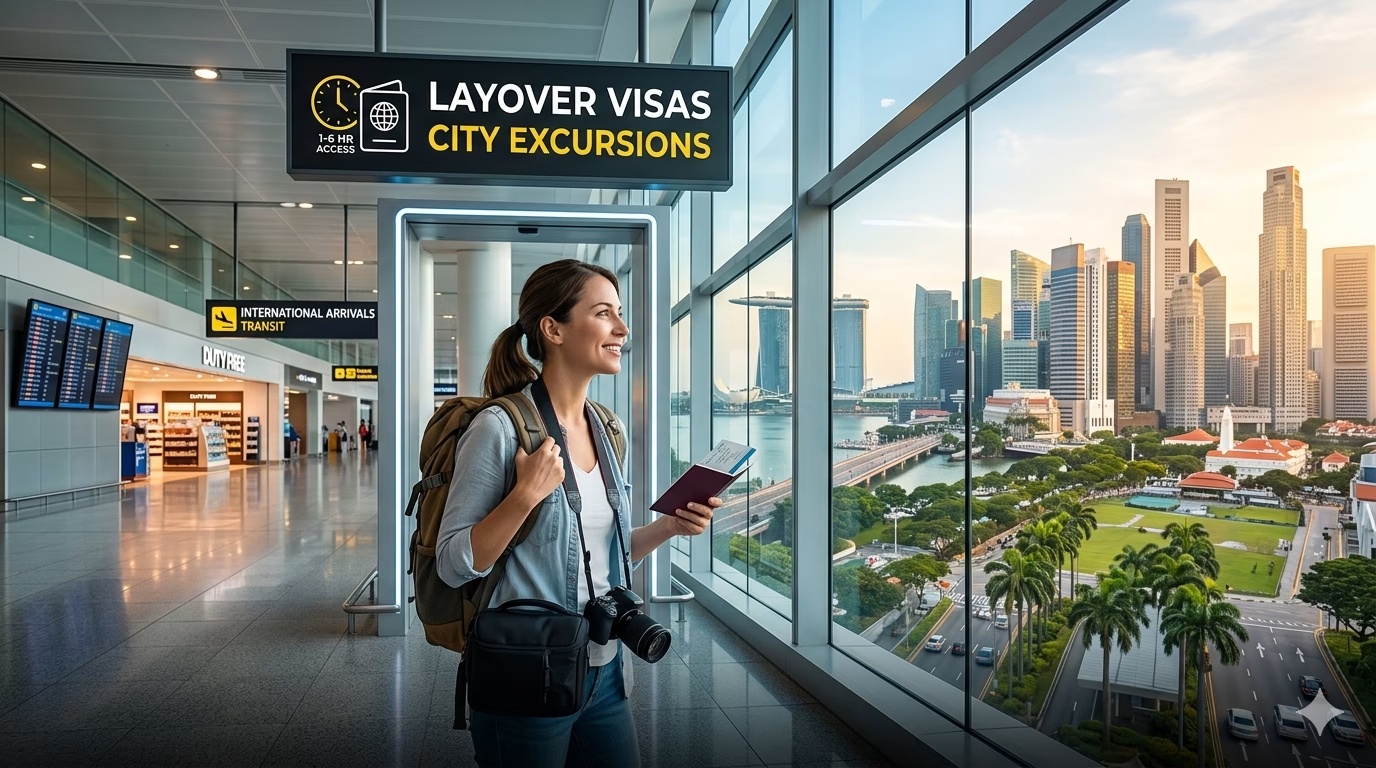
Understanding Visa Necessities for Short Layovers
For visa requirements for short layovers, the first thing to understand is that airports typically split you into two worlds: airside transit (you stay behind security and never “enter” the country) and landside entry (you clear immigration to change terminals, collect bags, overnight, or leave the airport). That distinction matters more than layover length. A 90-minute connection can still require a visa if you must re-check baggage or switch between airports (think Tokyo Narita to Haneda, or London Heathrow to Gatwick), while a 10-hour layover might not if you remain in the international transit zone with a confirmed onward ticket.
Next, your passport drives the rule set. Many nationalities can transit visa-free in a wide range of hubs, but some countries apply Transit Visa (T) or Airport Transit Visa (ATV) rules to specific passports even if you never pass immigration. The European Schengen Area is the classic example: some travelers need an Airport Transit Visa for certain Schengen airports, while others don’t—yet the moment you need to collect luggage or take a domestic/Schengen-bound leg, you’re no longer “just transiting” and may need a full Schengen visa. The UK has a similar concept with its Direct Airside Transit Visa (DATV) for certain passports, but it also lists exemptions (for example, holding certain valid visas/residence permits) that can remove the DATV requirement even on short connections.
There are also “special-case” layover setups that trip people up:
- Self-transfer tickets (two separate bookings): even in airports that advertise easy connections, you may be forced landside to re-check bags—treat this as an entry scenario, not transit.
- Overnight curfews: some airports effectively push passengers out of airside areas after late hours; if you can’t remain airside, you’ll need whatever entry permission applies.
- Different terminals with no sterile transfer: in a few hubs, terminal changes require immigration even if your onward flight is international.
One practical “what goes wrong” issue: travelers rely on airline staff for visa calls, but check-in is where you’re most likely to be denied boarding if your documents don’t match the transit rule. Before you leave for the airport, verify whether your itinerary is truly airside (single PNR, bags checked through, same airport) and whether your passport triggers an ATV/DATV-style requirement.
Staying connected matters here because transit rules change fast and airlines often request digital proof (onward booking, hotel, e-visa PDF, vaccination record, ETA approval). Having working data on arrival also helps if an agent asks you to pull up a confirmation email or complete an electronic form on the spot. Telekonek offers eSIM data plans that work in 100+ countries, and in practice it’s useful to activate a small plan before landing so you’re not hunting for airport Wi‑Fi while an immigration line moves.
Essential Documents for a Smooth Transition
For visa requirements for short layovers, immigration officers and airline check-in agents decide fast—based on documents, not your story. Your goal is to carry a “transit packet” that proves three things in one glance: you’re allowed to be there, you’re leaving on time, and you can support yourself if something breaks (missed connection, re-route, bag delay).
- Passport — Must be physical (not a photo) and typically valid 3–6 months beyond travel; some countries also require 2 blank pages. If you’re transiting places that fingerprint, a damaged chip or torn bio page can trigger denial even with a visa.
- Confirmed onward ticket — Bring the e-ticket receipt showing your name, flight numbers, and next destination. Many transit rules hinge on “continuing to a third country,” so a same-country domestic leg after entry is a different category.
- Boarding pass(es) and full itinerary — Save a PDF with all segments. When you have separate tickets, this is what shows the connection is real (and why you might need to go landside to re-check bags).
- Visa/residence permit for the destination — If your next stop requires a visa, print it. Several “transit without visa” schemes depend on holding a valid visa/residence card for the U.S., Canada, Schengen, Australia, etc.; a screenshot is often argued with, a printed grant notice is rarely debated.
- Proof of funds — A recent bank statement (PDF) or credit card plus a statement page. In 2026, many officers look for the equivalent of US$50–$150/day, even for a one-night airport hotel.
- Hotel booking (if overnight/landside) — Use a confirmation that shows address and dates. For airports with landside transfers, this is your “why am I entering?” proof.
- Travel insurance — Not always required for transit, but if you’re entering Schengen (even briefly) it can matter; carry the policy certificate with coverage dates.
- Transit/entry form receipts — Some countries use an e-visa, ETA, eTA, or e-arrival card that generates a reference number/QR. Print the approval page and keep a screenshot offline in case airport Wi‑Fi blocks the payment/verification page.
- Minor/guardian documents — If traveling with kids: birth certificate copy and a notarized consent letter when one parent isn’t present; this is a common “everything’s fine until it isn’t” checkpoint at immigration.
Format matters: keep one folder on your phone (offline) and one slim paper set. Check-in counters still photocopy documents; a crisp printout can save 20 minutes when the agent has to call a supervisor for a transit rule exception.
Variations by country to expect: Gulf hubs often care about onward flight within a strict window and hotel proof if you exit; Schengen tends to focus on passport validity, insurance, and purpose; the U.S./Canada-style systems lean on electronic authorizations tied to your passport number—one digit wrong can equal “no board.”
Watch out for: name mismatches. If your passport includes two surnames or diacritics, make sure the visa/ETA and tickets match the machine-readable line. The most common layover-visa failure I see is not “missing a document,” but having the right document issued to a slightly different name or passport number—airlines will treat that as no visa at all.
Applying for Your Layover Visa: A Comprehensive Guide
For visa requirements for short layovers, the biggest mistake I see is treating a layover visa like a “quick form.” In practice, you’re applying for a short-stay permission that’s judged by airlines first (at check-in) and border officers second (on arrival), so the process needs to be clean, consistent, and provable.
Step 1: Identify the exact visa type you need: airport transit (stay airside) vs transit/short-stay (clear immigration). Then confirm whether your case triggers special handling: separate tickets, checked baggage to reclaim, terminal change that forces immigration, or an overnight in a landside hotel. Those details change the visa class and where you apply (consulate vs e-visa vs visa-on-arrival).
Step 2: Apply through the correct channel. Use the official government portal for eVisas/ETAs, the embassy/consulate site for sticker visas, or an authorized visa center (e.g., VFS Global/BLS) only when the embassy requires it. Third-party “visa agents” often add fees without speeding anything up—and when they mistype a passport number, you’re the one denied boarding.
Step 3: Build a timeline that matches reality. In 2026, many eVisas/ETAs come back in minutes to 72 hours, while consular transit/short-stay visas commonly take 5–15 business days (longer around holidays). If you’re within a week of departure and your destination is consular-only, your most reliable “fix” is often rerouting through a country where you can remain airside.
- Typical fees (2026 ranges): ETA/online authorization US$10–US$30; eVisa US$25–US$80; consular transit/short-stay US$60–US$160 + visa-center service fees US$20–US$45.
- Payment gotchas: many portals require 3‑D Secure; have your bank app ready for OTPs or the payment fails and your application never submits.
Step 4: Submit like a border officer is reading it. Upload a passport scan that’s not cropped, a compliant photo (many systems reject shadows), and an itinerary that clearly shows onward departure within the allowed window. If an address is required, use your landside hotel (not “airport”)—vague entries are a common trigger for manual review.
Watch out for two failure points that ruin short connections: (1) name order/diacritics mismatching your passport MRZ line (use the machine-readable line format), and (2) applying for the wrong validity window—some visas start on the issue date, others on the arrival date. Print the approval and save an offline PDF; I’ve watched airline counters in smaller airports lose internet and refuse “it’s in my email” as proof.
What to Expect Upon Arrival: Visa and Immigration Tips
For visa requirements for short layovers, arrival is where theory meets a desk officer, a camera, and a clock. The first fork is usually visible before you even reach immigration: follow signs for “Transfers/Transit” (stay airside) versus “Arrivals/Passport Control” (you’re entering the country). If your onward boarding pass won’t scan at the transfer gates, don’t argue with the machine—head straight to the transfer desk to get a reprint or document check; I’ve seen 20 minutes disappear because a gate won’t accept a mobile pass from a partner airline.
Landing cards are less common than they were, but they still show up—especially when systems go down or for certain nationalities. Keep a pen in an outer pocket and fill forms before you’re at the counter. Write addresses exactly as booked (hotel name + street), and if you’re only transiting landside, put “TRANSIT – onward flight” in purpose-of-visit fields where it fits. Watch out for “occupation” and “employer” blanks: leaving them empty is a classic trigger for extra questions.
At the booth, the winning strategy is speed and consistency. Hand over your passport open to the photo page, plus (only if asked) your onward ticket and any visa/permit printout. Expect the same three questions in different accents: Where are you going next? How long are you staying? What are you doing here? Answer in one sentence that matches your documents: “Overnight transit, departing tomorrow at 09:20 to Singapore.” If you’re entering to change airports, say it immediately; officers hate discovering that detail after stamping you in.
Use this quick “arrival-ready” checklist:
- Phone unlocked and charged: many e-gates and officers want to see a booking/QR code on-screen.
- Local address + contact saved offline: some airports have dead zones between jet bridge and hall.
- Proof of funds accessible: not always requested, but when it is, they expect you to produce it in under a minute.
What goes wrong: travelers clear immigration for a “quick city hop,” then can’t re-enter the sterile transit area because their next airline requires a check-in desk document check that hasn’t opened yet. If you’re landside with a tight connection, confirm the check-in counter opening time (often 2–3 hours pre-departure) and keep enough buffer to re-clear security—some hubs routinely run 30–60 minutes at peak banks.
Stay Connected: Using eSIMs and Tech for a Seamless Experience
For visa requirements for short layovers, being connected isn’t a comfort feature—it’s how you prove compliance fast. Many transit countries now push arrivals paperwork into QR codes, web forms, or “digital arrival cards” that you can’t reliably finish on airport Wi‑Fi, especially once you’re funneled into immigration queues with spotty signal. I’ve had airports where the free Wi‑Fi requires an SMS verification code that never arrives on a foreign number, which is brutal when you need to pull up a visa PDF, an onward ticket, or a hotel booking for an unexpected overnight.
The most time-sensitive moment is often OTP (one-time password) access. Airline apps, bank cards for transit hotels, and even some e-visa portals will kick you into 2FA right when you’re rebooking a missed connection or paying for a fast-track lane. If your home SIM is off, out of service, or you’re relying on Wi‑Fi that drops every time you move concourses, you can end up locked out of the exact account that holds your boarding pass. Before you fly, set up at least one backup: an authenticator app (Google Authenticator/Microsoft Authenticator), downloadable boarding passes in your wallet, and offline copies (PDF screenshots) of visa approvals and insurance.
Navigation is the other quiet killer in unfamiliar hubs—especially when a “terminal change” is actually a landside transfer that triggers visa checks. Airport apps like Heathrow, Changi, and Incheon can show real-time security wait estimates, but Google Maps (or Apple Maps) is what gets you to the correct bus stop, train platform, or rideshare pickup zone when you’re forced to switch airports. Download offline maps for the city and pin your critical points: the transfer desk, your onward terminal, and the official transit hotel entrance (some are not where you expect, and walking the wrong side of an airport perimeter can cost 30 minutes).
- Watch out for: Wi‑Fi portals that require local SMS, and eSIM activation that needs internet—install and activate before boarding, not after landing.
- Cost reality (2026): airport SIM kiosks often run high (€15–€40 for small data packs), while eSIM data plans commonly land in the €5–€25 range depending on country and data size.
Practical move: grab an eSIM before you fly so you can complete arrival forms, receive OTPs, and pull up your visa documents the moment you land. Telekonek eSIM plans are one solid option—set it up at home, test data once, and keep your home SIM active for SMS if your phone supports dual SIM so you’re covered when the “quick” layover suddenly becomes an immigration-and-rebooking sprint.